For Mac
macOS 15 or later. Capture microphone and system audio.
 Help →
 Notera
YOUR MEETINGS, WITH CONTEXT
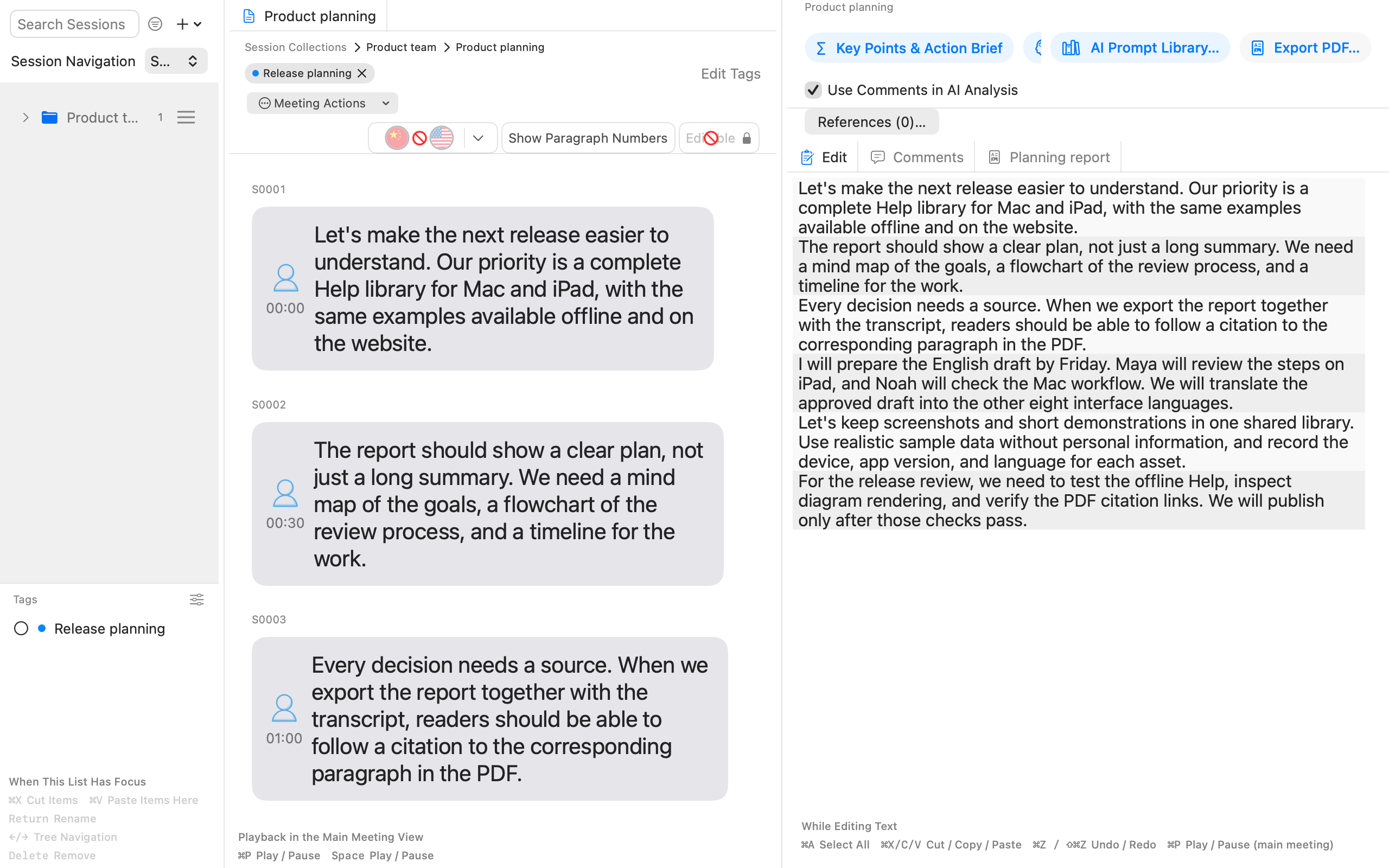
Record or import a conversation. Organize the transcript, build AI reports with diagrams, and publish a PDF whose source citations lead back to the relevant transcript paragraphs.
01 / PDF
Turn an analysis into a mind map, flowchart, sequence diagram or Gantt chart. Preview the layout and export the diagrams alongside the narrative in a PDF.
Read the guide →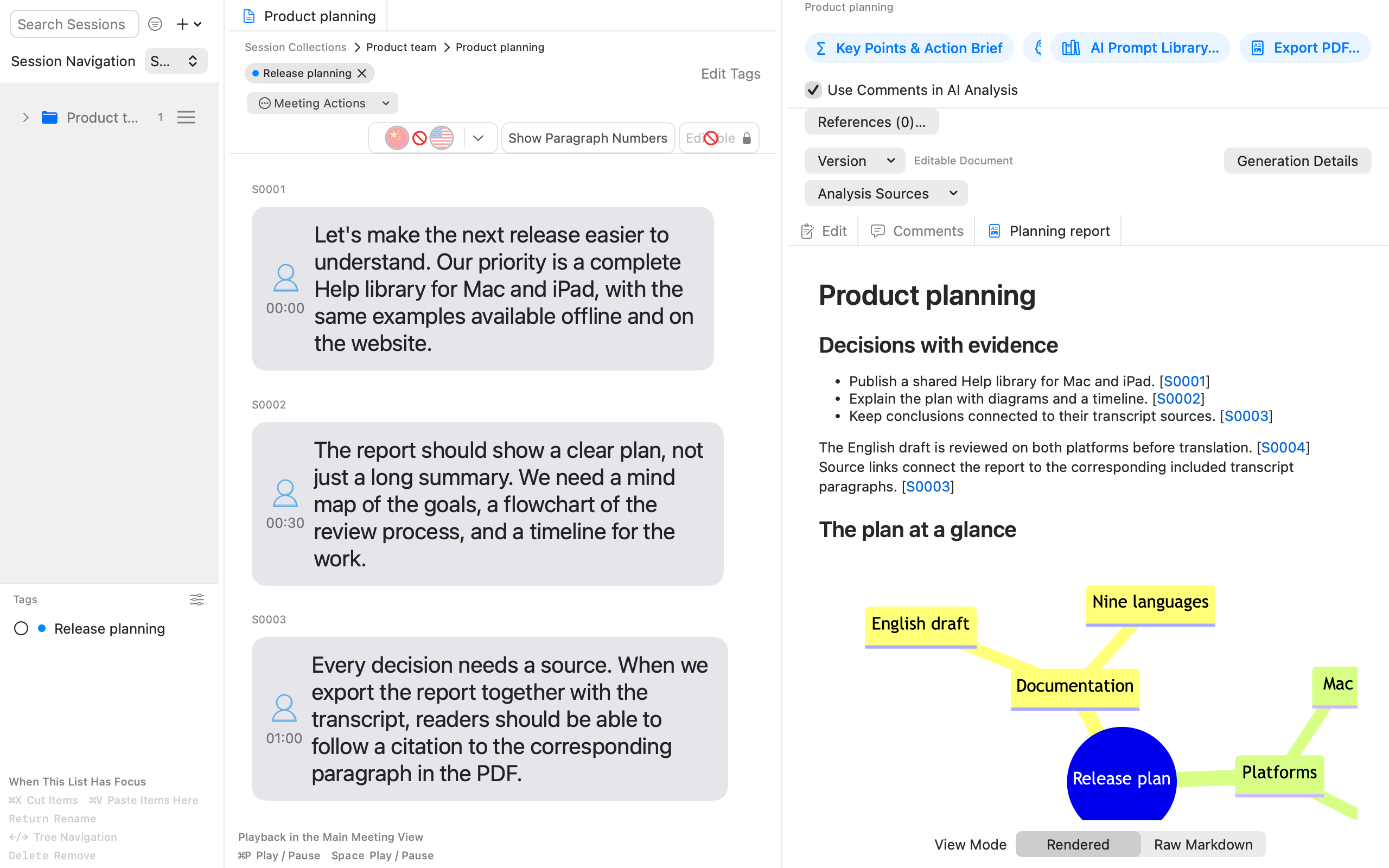
02 / SOURCE
Export reports together with their transcript. Included source citations become links to the matching transcript paragraphs inside the PDF, so readers can check the evidence without switching documents.
Learn the workflow →PDF ↗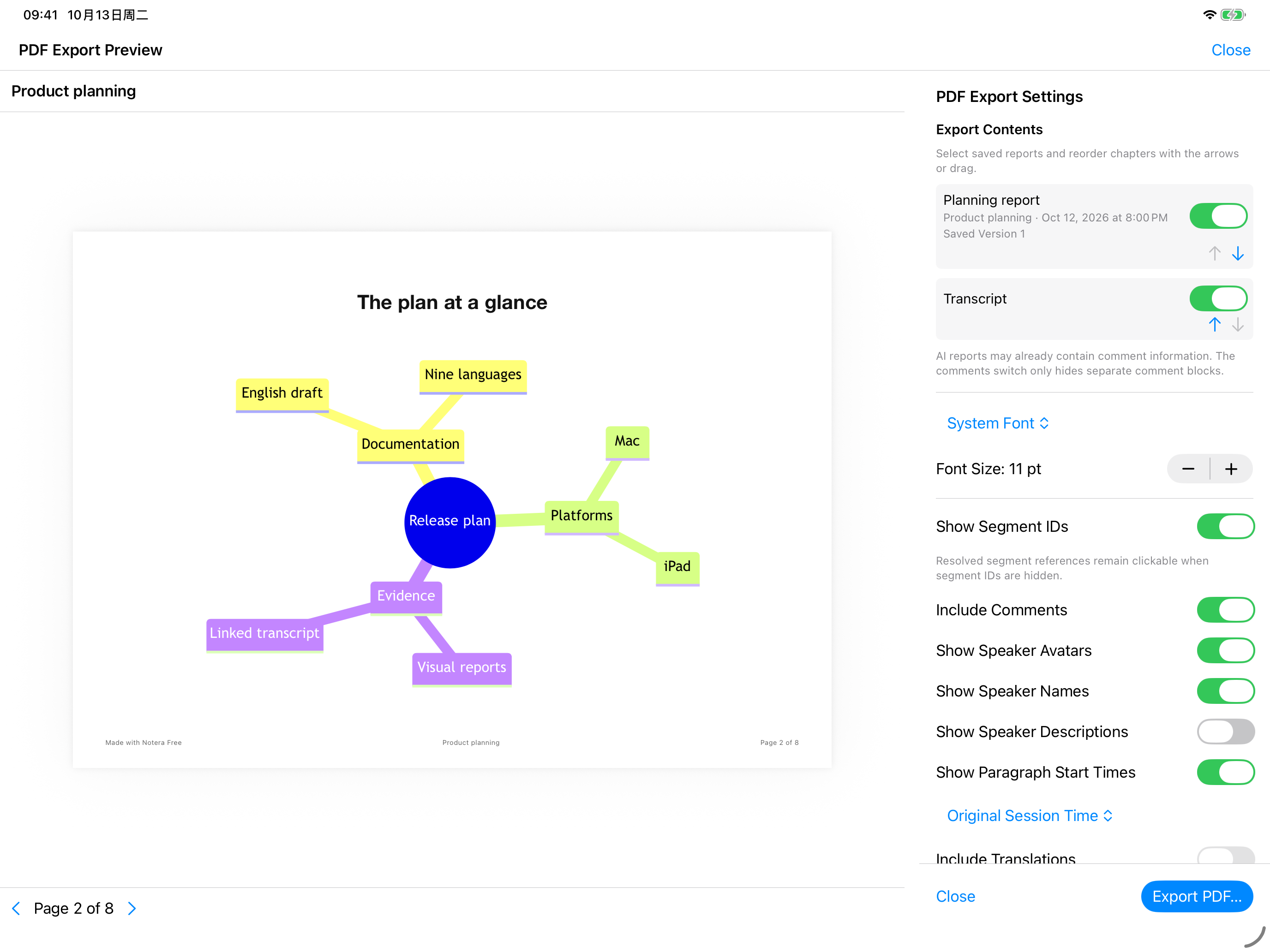
03 / CONTEXT
Use collections, tags, speakers, comments and reference documents to keep context close. Analyze a meeting or a collection, then assemble the transcript and selected reports into a document with chapters.
Read the guide →macOS 15 or later. Capture microphone and system audio.
Help →iPadOS 18 or later. A landscape workspace for recording and importing files.
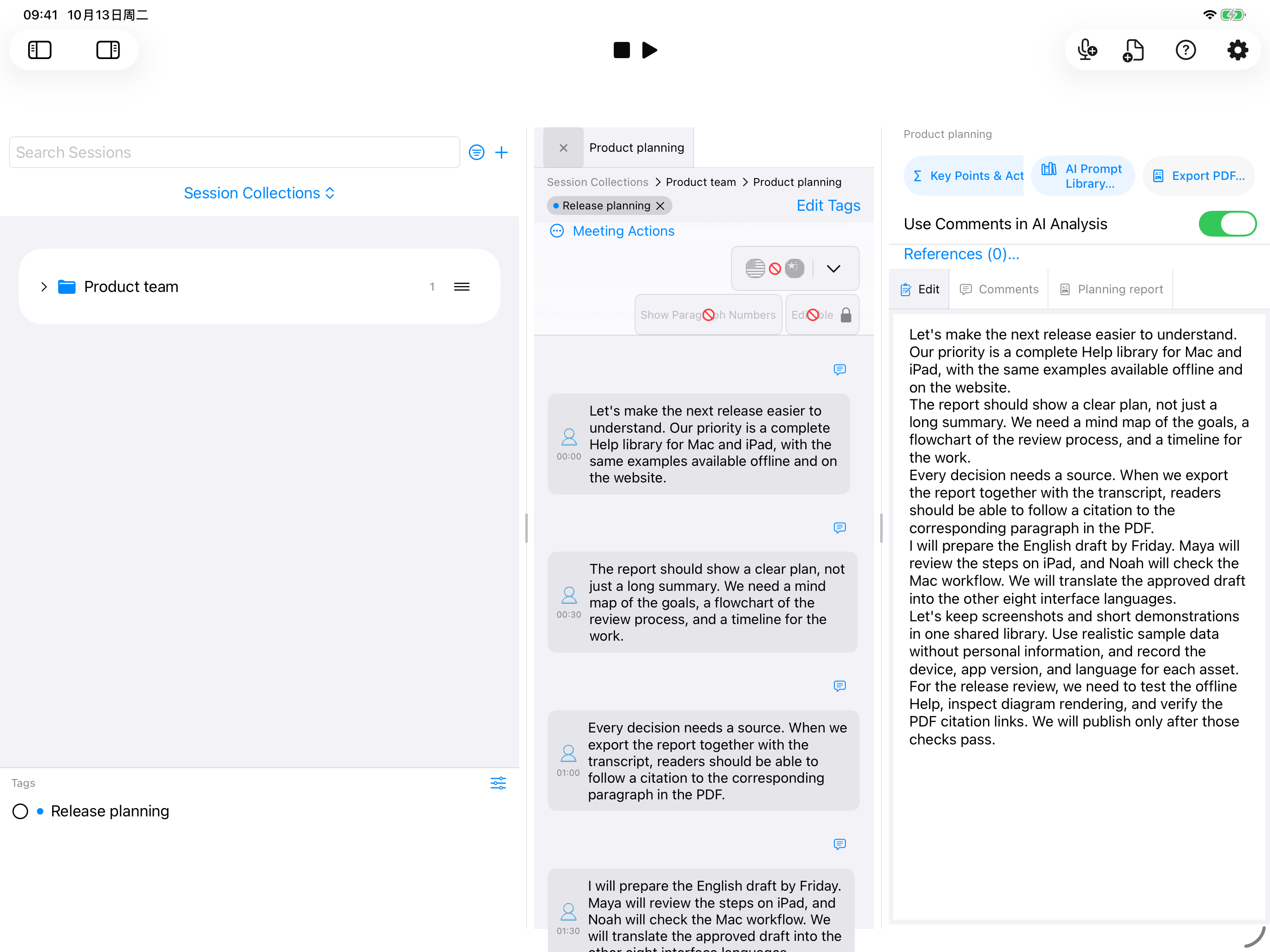 Help →
Apple speech and Apple Intelligence require supported system versions, devices, languages and prepared models. Features are checked on your device.
Transcription and speaker separation run on your device. Where available, Apple Intelligence handles text analysis locally. External AI services use your own API settings and the content you authorize for the task.
Notera Pro is a one-time commercial-use license. It also lets you hide the Notera branding in PDF footers. External AI services may charge separately; their credits are not included.
Yes. The app includes all nine languages, images, workflow video and subtitles. Open Help on Mac or the Help button on iPad.
No automatic cross-device meeting sync is included in this release. Each installation keeps its own local workspace.
Source links require the corresponding transcript to be included in a combined export. Available source bindings determine which links are included. Resolved citations remain clickable even when paragraph source numbers are hidden.
The iPad release records microphone audio and transcribes imported files. System-audio capture and desktop floating subtitles are Mac features.
Keep the words. Reveal the structure. Follow the source.
Download ↗Choose the platform on the App Store product page.